
Home / Projects / Exhibition Pavilion Sliding Rail
Screens that move to tell the story in order
A motorised sliding rail LED display in an international exhibition pavilion, where the screens travel to reveal exhibits in sequence rather than showing everything at once.
Project at a glance
- Delivered
- August 2025
- Setting
- International exhibition pavilion
- System
- Motorised sliding rail display
- Motion
- Independent path control
- Control
- Media-synchronised or TCP / UDP
- Reference build
- 9 display units, 3 x 3 matrix
- Environment
- Indoor
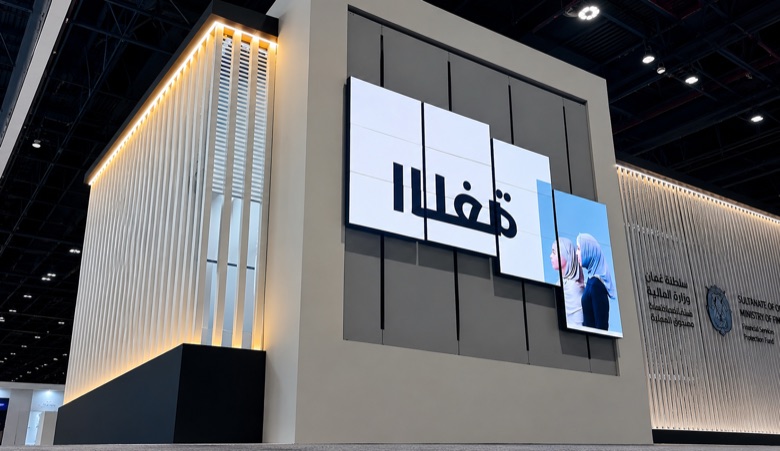
The brief: pace the story instead of showing everything
A pavilion has a problem a showroom does not: visitors arrive continuously, in groups, with no fixed start time. A static wall of screens gives everyone the same undifferentiated wall of information. Moving screens let the pavilion reveal exhibits in an order — closing on one section while opening another, so attention has somewhere to go.
What was engineered
Motion mode selection
The platform supports opening, vertical, matrix, rotate-and-slide and robotic motion. Choosing between them is the first engineering decision, because rail architecture, load, safety and control all follow from it — and the choice is usually made by the pavilion’s structure and circulation rather than by visual preference.
Independent path control
The reference matrix configuration uses 9 display units on independent path control with anti-collision logic, an estimated display weight of 315 kg, a canvas width of 1.97 m and maximum travel of 1.20 m. Independent paths are what make a sequenced reveal possible; anti-collision logic is what keeps them from becoming a liability.
The signal chain
The route runs display units, motorised rails, servo drives, a safety unit and then content and control. Every link in that chain is a project decision — the safety unit in particular is not an add-on but a required stage between the drives and the content system.
Content integration
Motion can be manual, synchronised with media, or driven through TCP or UDP integration. In a pavilion running a timed programme, media synchronisation is usually the reason the installation works at all: the screens have to move because the story moved, not on a loop.
| Reference configuration | Figure |
|---|---|
| Display units | 9 units, 3 x 3 matrix |
| Estimated display weight | 315 kg |
| Canvas width | 1.97 m |
| Maximum travel | 1.20 m |
| Path control | Independent, with anti-collision logic |
| Control options | Manual, media-synchronised, TCP / UDP |
Published platform reference configuration. Final rail, servo, safety and interface package is configured around the project.
Delivery
Rail, servo, safety and interface are configured together rather than assembled from separately specified parts, and representative motion is tested before the system ships to the venue.
Questions this project usually raises
Which motion mode suits an exhibition pavilion?
Opening, vertical, matrix, rotate-and-slide and robotic motion are all available, and the choice is usually made by the pavilion structure and visitor circulation rather than by visual preference — because rail architecture, load, safety and control all follow from it.
How do the screens avoid colliding?
Anti-collision logic sits in the control layer alongside independent path control. Independent paths are what make a sequenced reveal possible, so collision handling is a control requirement rather than something left to mechanical limits.
Can the motion follow our show programme?
Yes. Motion can run manually, synchronised with media, or through TCP or UDP integration. For a timed pavilion programme, media synchronisation is normally what makes the installation read as storytelling rather than as moving furniture.
Related
Planning a moving display for a pavilion or museum?
Share the exhibit sequence, available rail space, display size and how the motion should be triggered. Engineering replies within 8 business hours.
Start engineering review